Introduction
Sphere is the architecture whiteboard. Design systems with services, datastores, streams, agents, and typed connections — then save, share, and iterate with an AI agent.
SCAN (System & Component Architecture Notation) is the open YAML notation underneath. Sphere edits SCAN documents. The same files work with the open-source @spherescan/* libraries on npm.
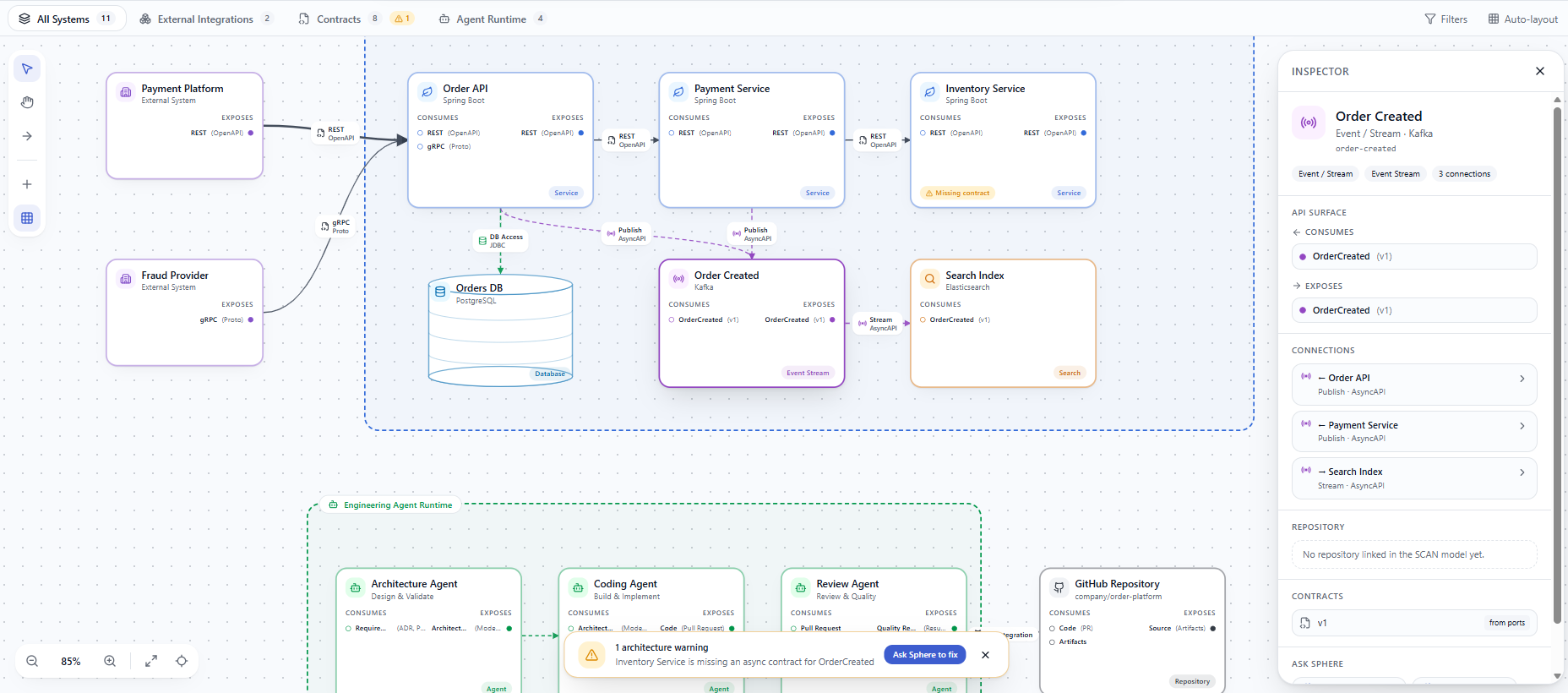
Who this is for
- Software architects mapping real systems
- Engineers who want diagrams that stay as valid architecture YAML
- Teams embedding SCAN viewers or modelers in their own tools
- Anyone who just wants to sketch how a product or system fits together — describe it to Ask Sphere in plain language and let it build the diagram; no YAML experience required
What you will learn here
- Quickstart — open Sphere and get a first diagram
- Tutorial — place components, connect ports, save
- Ask Sphere — AI bar, preview, and contextual chips
- SCAN concepts and reference — the notation
- SDK / CLI / Self-host — build on SCAN outside the product
Sphere and SCAN
Sphere is the product: the hosted whiteboard, with accounts, Library, and Ask Sphere built on top of SCAN. SCAN itself — the notation and the @spherescan/* packages that read and write it — is open source, so the diagrams you make in Sphere are never locked in.
| Sphere (product) | SCAN (open source) | |
|---|---|---|
| What | Hosted whiteboard + library + AI, built on SCAN | Notation + npm packages + reference modeler |
| Where | Your organization's Sphere deployment | npm @spherescan |
| File format | .scan.yaml | same |
You can also self-host the open-source SCAN reference whiteboard — that gets you the notation and a basic canvas, not the full Sphere product (accounts, Library, cloud save, Ask Sphere).